This is a simple and straightforward guide on how to install Artifactory and import exisiting maven repository into it.
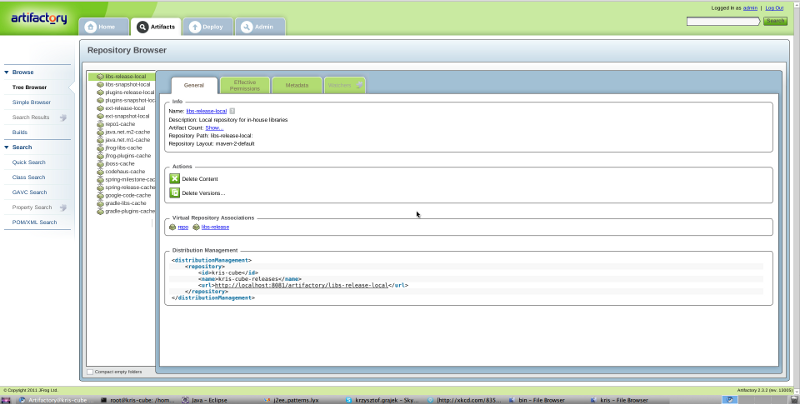
1. Download Artifactory from JFrog website
2. Unzip downloaded file in your home directory
3. Change to root user (su -)
4. Set your JAVA_HOME in /etc/environment
PATH="/usr/local/sbin:/usr/local/bin:/usr/sbin:/usr/bin:/sbin:/bin:/usr/games"
5. Set your JAVA_HOME in /etc/profile
# and Bourne compatible shells (bash(1), ksh(1), ash(1), ...).
export JAVA_HOME=/usr/lib/jvm/java-6-sun/
if [ -d /etc/profile.d ]; then
for i in /etc/profile.d/*.sh; do
.............. rest of the file.....
6. Go to /home/kris/artifactory-2.3.2/bin (of course replace ‘kris’ with your home folder name)
7. Run
8. Check if your installation was successful, run:
9. If you get error saying something like: “Cannot find a JRE or JDK. Please set JAVA_HOME to a >=1.5 JRE” , edit /etc/artifactory/default and add JAVA_HOME export:
[cc lang="bash"]
$: service artifactory start
11. In your browser to into: http://localhost:8081/artifactory and log in as administrator (default user/pass is admin/password)
12. After logging in, click on the ‘Admin’ tab, then ‘Import & Export’ and ‘Repositories’
13. Inside the ‘Import’ section select ‘ext-release-local’ as your ‘Target Local Repo’ and find your maven .m2 repository
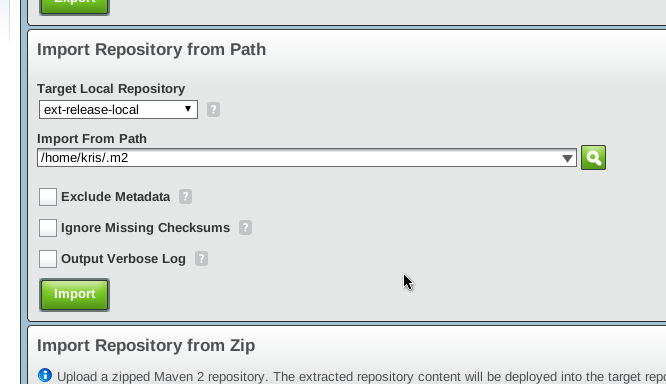
14. Click import and your are all set!